
Soft Bodies with Mujoco
Posted 04/06/2026
MuJoCo (Multi-Joint dynamics with Contact) is a physics simulation engine widely used in robotics research for modelling complex interactions between bodies, joints, and contacts in real time. In recent years, its support for soft-bodied and deformable simulation has made it especially valuable for tactile sensing and robotic manipulation, where compliance and material deformation play a critical role. By simulating soft materials such as silicone skins, grippers, or tactile pads, researchers can study how forces propagate through deformable surfaces and generate realistic sensor responses without expensive hardware prototyping. This enables faster development of robotic systems capable of safe interaction, dexterous manipulation, and improved perception in unstructured environments. In this tutorial we will discuss the making of soft bodies and a few different approaches we took, looking at the pros and cons of each.
Contents
Mujoco setup
Firstly make sure you have Mujoco installed, you can use pip to install it. We used Linux to make this as we found there to be issues with some of the soft body elements and Windows.
pip install mujoco
Soft approaches
There are a number of approaches to soft bodies in Mujoco. We explore two types, one where we are manually setting the body frame using a node-vertex style system. The other is using an existing object file set to have soft properties. We explore both of the approaches below, their pros and cons. This tutorial assumes you have an understanding of how the Mujoco xml scene structure works, otherwise jumping straight into soft-bodied simulation may be a step too far.Point based
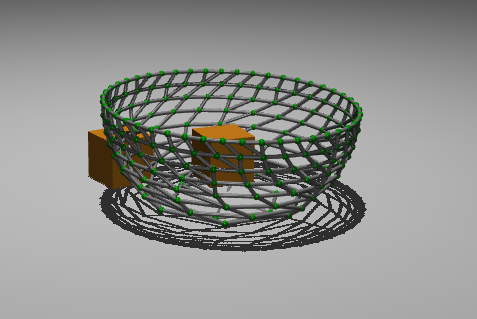
The point based method can be more complex to make shapes, but easier to control constraints and stiffness. In simple terms, we generate vertices and joints between points in 3D space, giving them spring and dampening factors. We can define each point under one flexible body. We have called it "flexible_structure" for this demonstration.
<body name="flexible_structure" pos="0 0 0.8">
    //within here we will put our vertex nodes
</body>
Each vertex within can be defined as a point in 3D space at position pos. This point is in (0.05,0.0,0.05). Make sure to use unique names for each point, and a good naming convention hat will be simple for you to understand.Here we define the x y and z movements. We also define the shape as a sphere using the geom tag. It will be avery small sphere of size 0.005.
<body name="center_1" pos="0.05 0.0 0.05">
  <joint type="slide" axis="1 0 0"
    name="j_c1_x" stiffness="5"
    damping="3" limited="true" range="-0.05 0.05"/>
  <joint type="slide" axis="0 1 0"
    name="j_c1_y" stiffness="5"
    damping="3" limited="true" range="-0.05 0.05"/>
  <joint type="slide" axis="0 0 1"
    name="j_c1_z" stiffness="5"
    damping="3" limited="true" range="-0.05 0.05"/>
  <geom type="sphere" size="0.005"
    rgba="0.0 0.6 0.0 1" mass="0.01"/>
  <site name="s_c1"/>
</body>
The flexible_structure body will be populated with various points in the shape of the object you want to be flexible. The next step is to define the edge structure of our object by connecting tendonds. OUtside of the worldbody tags, we can create a tendon map.
<tendon>
    //within here we will put our edge connections
</tendon>
Where inside each is a listend tendon to connect two points.
<spatial name="t_o1" solreflimit="0.001 1"
  solimplimit="0.99 0.999 0.001"
  springlength="0.0765">
    <site site="centre_1"/>
    <site site="centre_2"/>
</spatial>
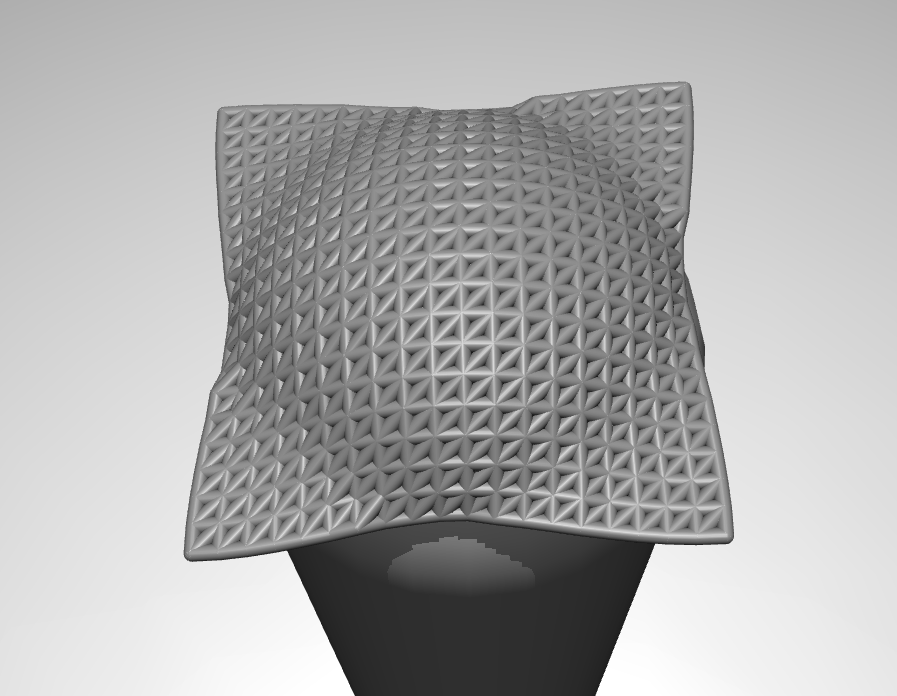
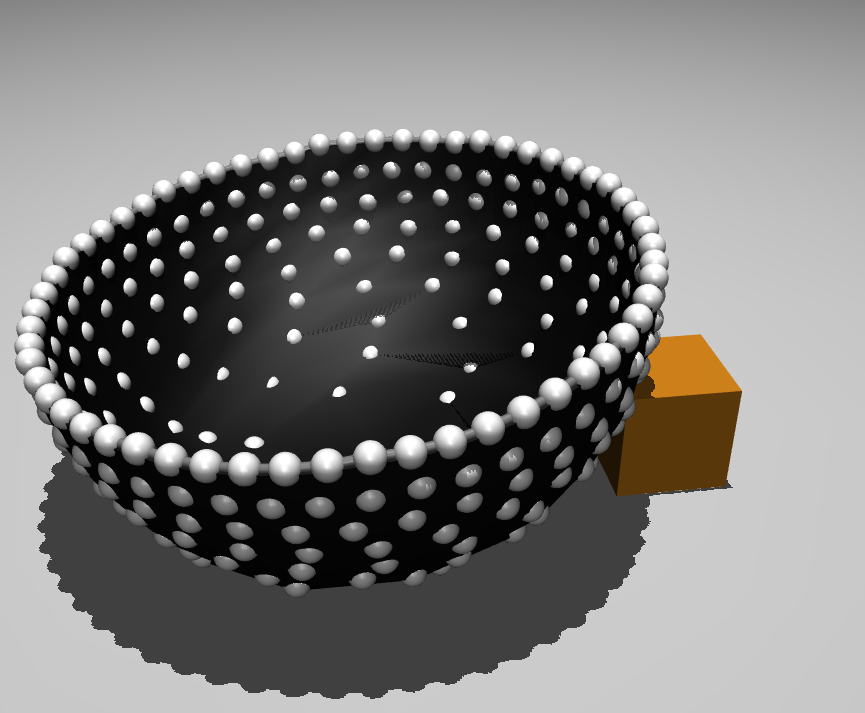
That is the basics of making a shape, and those tools are what allows us to make larger shapes like the dome in the image below:
Filling in the gaps
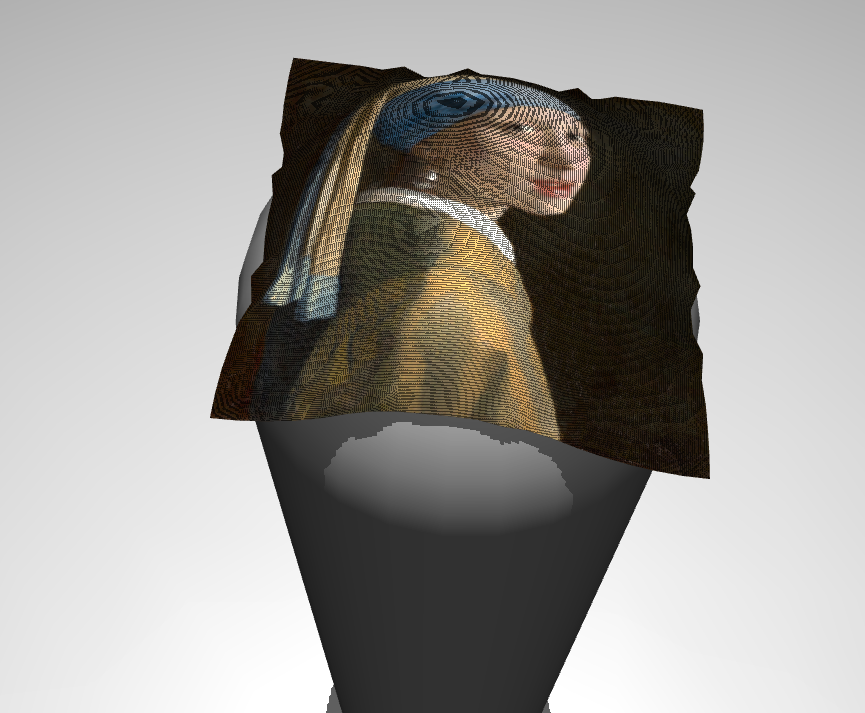
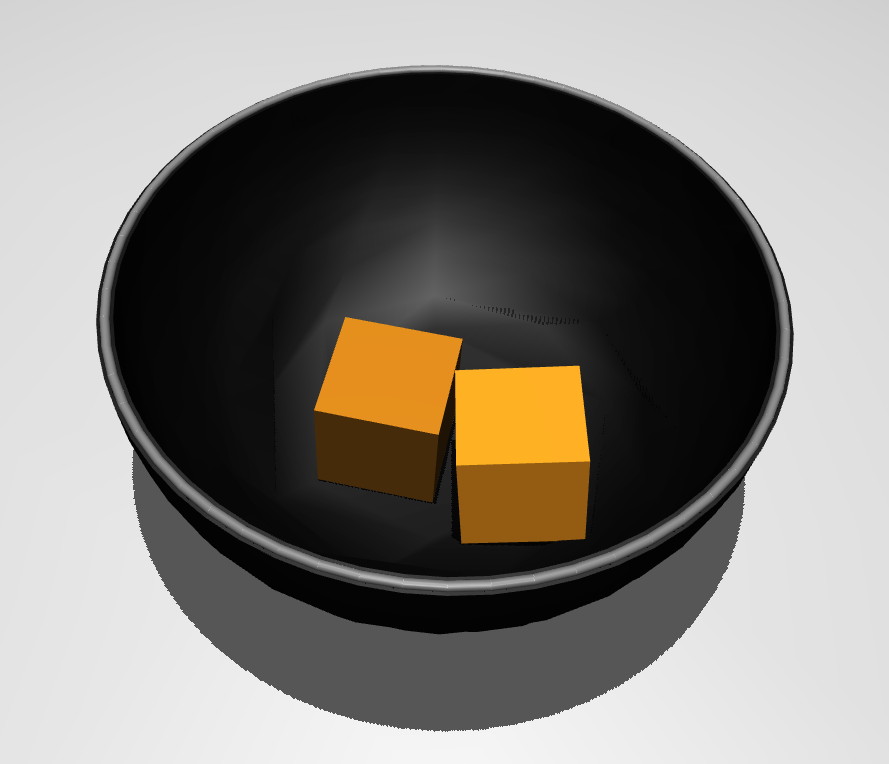
Having a mesh is great, but realistically we want to simulate soft bodies. In the 3D object section we can do this easily by importing the 3D object mesh which is already interconnected. But if we are creating our own mesh, implementing a solid looking structure can be done in a number of ways. The easiest is image overlay. This only works for certain grid meshes as it prealigns with the image. The image must be a png to work. We must define the path to our image in the assets tag.
<asset>
  <texture name="skin_tex" type="2d"
    file="path/to/file.png"/>
</asset>
<asset>
  <material name="black_mesh_mat"
    rgba="0.05 0.05 0.05 1" shininess="0.1"/>
</asset>
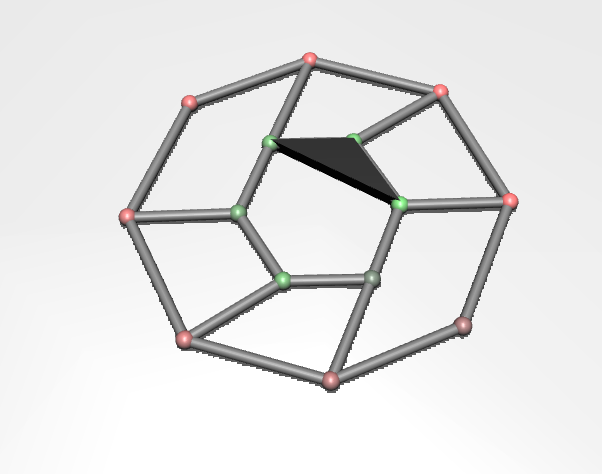
Then we can specify which nodes are involved, and how they connect to each node. We use the deformable tags below the worldbody close tag. The body element relates to the nodes we want to include. Specify the vertex as 0 0 0 to be on the point. If you change this it will hover at that coordinate from the origin vertex.
We then specify the element connections, so the ezample below connects a triangle.
<deformable>

        <flex name="black_skin"
              material="black_mesh_mat"
              dim="2"
              body="center_1 center_2 center_3 "
              vertex="0 0 0   0 0 0   0 0 0  "
              element="0 1 2 "/>
    </deformable>
3D object
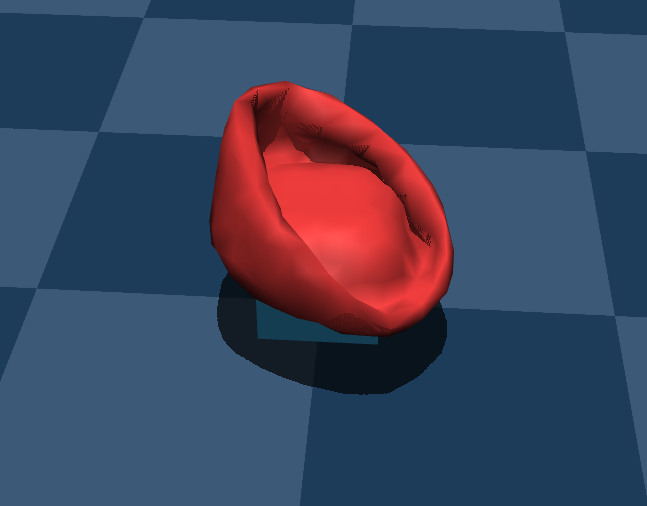
The 3D object method is much simpler from a development point of view, as you are importing a .obj file. Mujoco uses the object mesh to make a flexible body. The downside is this flexible mesh is a lot harder to control than the point based method. We can use an obj file, though be aware if it has too many verticies it maytake too much processing. This method is much slower than the method of specifying the structures manually, mainly because there aresignificnatly more connections from the obj file.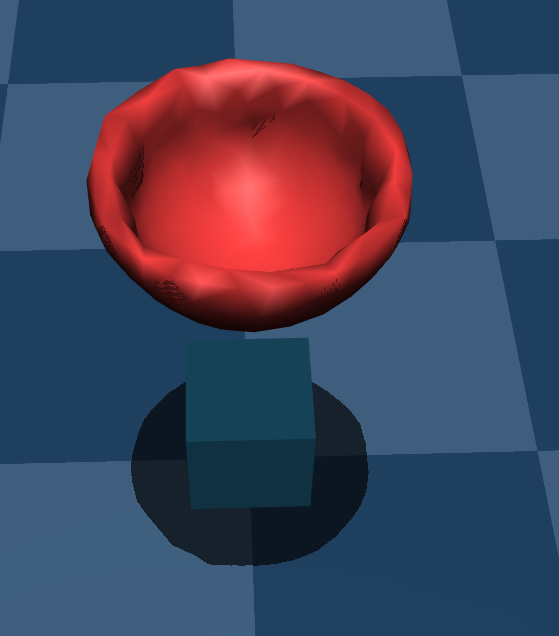
<mesh name="my_existing_mesh"
  file="/home/dexter/Documents/GitHub/
    Robot_foot/assets/dome_small.obj"
  scale="1 1 1"/>
Then we can use the flexicomp tags to import a flexible mesh. I have only been able to get this to work on Linux.
<body name="soft_sheet_anchor" pos="0 0 0.4">
    <flexcomp name="soft_mesh"
    type="mesh"
    file="/home/dexter/Documents/GitHub/
      Robot_foot/assets/dome_small.obj"
    scale="1 1 1"
    material="cloth_mat"
    mass="7">
        <edge equality="true"
        damping="15"/>
        <plugin
        plugin="mujoco.elasticity.shell">
            <config key="young"
            value="5e7"/>
            <config key="poisson"
            value="0.25"/>
            <config key="thickness"
            value="0.002"/>
            <config key="damping"
            value="40"/>
        </plugin>
    </flexcomp>
</body>